
For years, my computer was a magical black box. It sat on my desk, hummed quietly, and did incredible things, but the moment something went wrong, a wave of cold dread would wash over me. A strange noise? A sluggish performance? My only recourse was to panic, scour online forums for vague solutions, or, more often than not, pay someone else to fix what I couldn’t even begin to understand. The internal workings, the tangled wires, the mysterious circuit boards – they were a forbidden labyrinth, a realm reserved for the truly tech-savvy. I yearned to understand, to demystify the magic, to conquer that fear of the unknown. That yearning, that stubborn itch of curiosity, eventually led me to make a decision that would change how I viewed technology forever: I enrolled in a hardware course.
The idea itself felt daunting. I wasn’t a natural whiz with electronics; my past attempts at DIY usually ended in more confusion than clarity. I envisioned complex diagrams, intimidating jargon, and a room full of brilliant minds already miles ahead of me. But the desire to finally grasp what made these machines tick outweighed the apprehension. I wanted to be the one who knew why a computer crashed, not just how to hit the restart button. I wanted to understand the language of processors and memory, of motherboards and graphics cards. And so, with a mix of nervous excitement and hopeful anticipation, I began my journey into the heart of the machine.
From the very first day, my preconceptions began to crumble. Our instructor, a patient and endlessly enthusiastic guide, had a knack for breaking down intimidating concepts into digestible, almost poetic explanations. He didn’t just rattle off technical specifications; he told stories. He described the central processing unit, the CPU, not as a complex silicon chip, but as the "brain" of the computer, constantly thinking, calculating, and orchestrating every task. The memory, RAM, became its "short-term recall," quickly accessing information needed for immediate operations, while hard drives and solid-state drives were the "long-term archives," storing everything from cherished photos to operating systems. This storytelling approach, coupled with immediate hands-on practice, was a game-changer for someone like me.
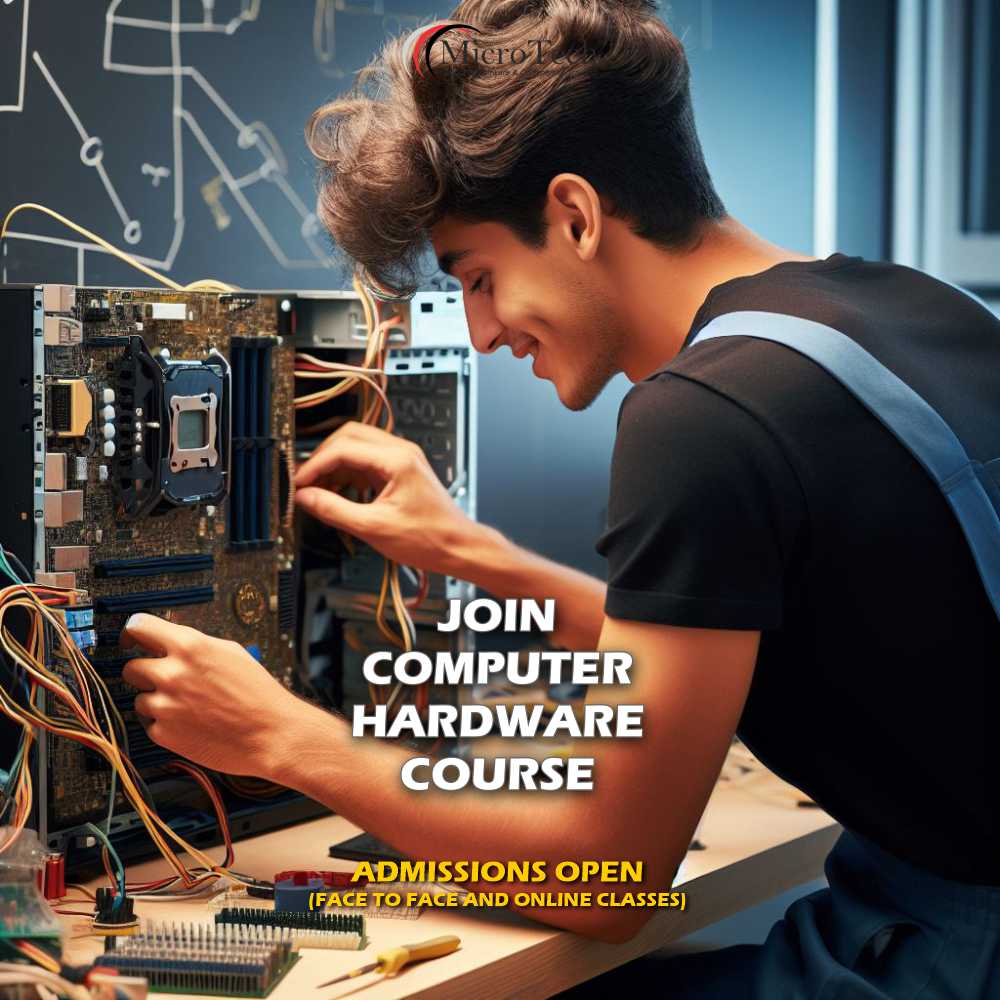
We started with the basics, something deceptively simple yet profoundly important: safety. Antistatic wristbands, proper grounding, and the gentle handling of components were drilled into us from the get-go. I remember the slight tremble in my hands the first time I held a motherboard. It looked like a miniature city, a sprawling landscape of pathways, ports, and tiny, intricate components. Our instructor pointed out the various sockets and slots, explaining how each was designed to house a specific part, like carefully placed pieces in a complex puzzle. He emphasized that the motherboard was the "nervous system," the central hub through which all other components communicated. Understanding its role was like finding the master key to the entire system.
Then came the CPU, the undisputed star of the show. It was surprisingly small, yet packed with immense power. We learned about different manufacturers, core counts, and clock speeds, but more importantly, we learned the delicate art of installation. Aligning the tiny golden arrow on the CPU with the corresponding mark on the motherboard socket, gently lowering it into place, and then securing the retention arm – it felt like performing micro-surgery. The instructor stressed the importance of thermal paste, explaining its crucial role in transferring heat away from the CPU to the cooler, preventing the brain from overheating. This wasn’t just about following steps; it was about understanding the why behind each action.
Next up was RAM, or Random Access Memory. I’d always heard about it, knew it was important, but never truly understood its function beyond "more is better." Here, I learned that RAM acts as the computer’s scratchpad, holding data that the CPU needs to access quickly. Imagine trying to read a book while only being able to hold one sentence in your head at a time; that’s what a computer with insufficient RAM feels like. We learned about different generations of RAM (DDR3, DDR4, DDR5), their varying speeds, and how to correctly seat them into the motherboard slots with that satisfying, definitive click. It was incredibly empowering to realize I could easily upgrade this vital component myself, potentially breathing new life into an aging machine.
Storage was another fascinating segment. We delved into the world of hard disk drives (HDDs) with their spinning platters and read/write heads, marveling at the mechanical ingenuity that stored vast amounts of data. Then came the revelation of solid-state drives (SSDs), which, with no moving parts, offered lightning-fast speeds and greater durability. The difference in performance was staggering, and understanding the technology behind it helped me make informed decisions about storage solutions, not just for my own computer but for recommending to others. It felt like moving from an ancient scroll library to a super-fast digital archive.
The power supply unit, or PSU, was introduced as the "heart" of the system, pumping vital electricity to every component. This section emphasized safety above all else. We learned about wattage, efficiency ratings, and the various connectors needed for different parts. Calculating the appropriate wattage for a given system felt like a practical puzzle, ensuring that the heart was strong enough to support the entire body. It was a stark reminder that even the most powerful components are useless without a stable and sufficient power source.
And then, for many, the most visually exciting component: the graphics processing unit, or GPU. While often associated with gaming, our instructor highlighted its importance for video editing, graphic design, and even everyday smooth operation. We examined the massive heatsinks and multiple fans, understanding how these powerful cards generated significant heat and required robust cooling solutions. Holding a high-end GPU felt like holding a miniature work of art, a testament to engineering prowess.
Beyond individual components, the course moved into the crucial art of assembly. This was where theory truly met practice. We were given cases, motherboards, and boxes full of parts, and tasked with building a computer from scratch. The initial moments were a mix of excitement and trepidation. "Where does this screw go?" "Is this cable facing the right way?" "Did I just break something?" Our instructor circulated, offering gentle guidance, never giving us the answer outright but nudging us towards discovering it ourselves. The feeling of connecting the final cable, closing the side panel, and then, with bated breath, pressing the power button and seeing the BIOS screen flash to life – that was pure triumph. It was the moment the black box truly opened up, revealing its inner magic, now comprehensible and conquerable.
Troubleshooting became an equally vital part of the curriculum. It wasn’t just about knowing how to build, but how to diagnose when things went awry. We learned about POST codes, beep patterns, and diagnostic tools. A common scenario involved deliberately introducing a fault into a test system – perhaps removing a RAM stick or loosening a power cable – and then using our newfound knowledge to identify and rectify the issue. This was where critical thinking truly shone. It taught me patience, methodical problem-solving, and the satisfaction of playing detective to uncover a hidden fault. There was a particular instance where a test system wouldn’t boot, and after checking every connection and component, I finally traced it back to a slightly misaligned front panel connector. The small victory felt monumental.
The course also touched upon operating system installation, showing us how software breathes life into the meticulously assembled hardware. We learned about drivers, those essential pieces of software that allow the operating system to communicate with the hardware. It was a holistic approach, demonstrating the seamless partnership between the physical and digital worlds that makes our computers function.
What truly made the experience memorable, beyond the technical knowledge, was the camaraderie. My classmates came from diverse backgrounds – students, professionals looking for a career change, curious hobbyists – but we all shared that common spark of curiosity. We helped each other, celebrated small successes, and commiserated over stubborn screws. Our instructor wasn’t just a teacher; he was a mentor, fostering an environment where no question was too basic and every discovery was celebrated.
By the time the course concluded, I wasn’t just someone who knew how to identify a CPU or install RAM. I was someone transformed. The fear of the unknown had been replaced by a quiet confidence. My computer was no longer a mysterious black box but a logical, understandable system. I could now confidently open my own machine, diagnose common issues, and even upgrade components without breaking a sweat. I could speak the language of hardware, and more importantly, I could think like a hardware technician.
This course wasn’t just about learning facts; it was about cultivating a mindset. It taught me problem-solving skills that extend far beyond circuit boards. It instilled in me a deeper appreciation for the incredible engineering that goes into every device we use daily. It empowered me to be self-sufficient with my technology, saving me money and endless frustration. And perhaps most significantly, it ignited a deeper passion for technology that continues to burn brightly.
So, who should consider embarking on a hardware course? Anyone who, like me, gazes at their computer with a mix of awe and bewilderment. Anyone who wants to build their own custom PC, or troubleshoot issues for friends and family. Anyone considering a career in IT, where a fundamental understanding of hardware is non-negotiable. Or simply anyone who is tired of being a passive user and yearns to understand the magic beneath the surface.
My advice to anyone contemplating this journey is simple: don’t hesitate. Embrace the curiosity. Don’t be afraid of the complexity; it’s always broken down into manageable steps. Ask questions, get your hands dirty, and celebrate every small victory. The world of computer hardware is a fascinating, logical, and incredibly rewarding place to explore. It’s a journey that demystifies the digital age and empowers you to become a true master of your machines, transforming you from a bewildered observer into a confident creator and problem-solver. And for me, that was a journey absolutely worth taking.